
Tired of tedious proposal creation and time-consuming slide design? This article introduces how to create high-quality proposal slides surprisingly easily using the AI slide creation tool, Genspark. We’ll also delve into Genspark’s appeal and potential, including a comparison with Gamma, which we tried previously.
1.What is Genspark?
Genspark is an innovative tool that automatically generates slides using conversational AI. Simply input a prompt (instruction), and the AI will understand your content, handle the structure, design, and even image selection. It’s a powerful ally for business professionals and students, allowing for efficient creation of slides for various purposes, including proposals, presentations, and reports.
2.Creating “Seaside Cloudworks” Website Proposal Slides with Genspark!
This time, we’ll walk you through the process of creating slides for a “website proposal for a company offering cloud service consulting and implementation support” using Genspark.
(1) Launching Genspark
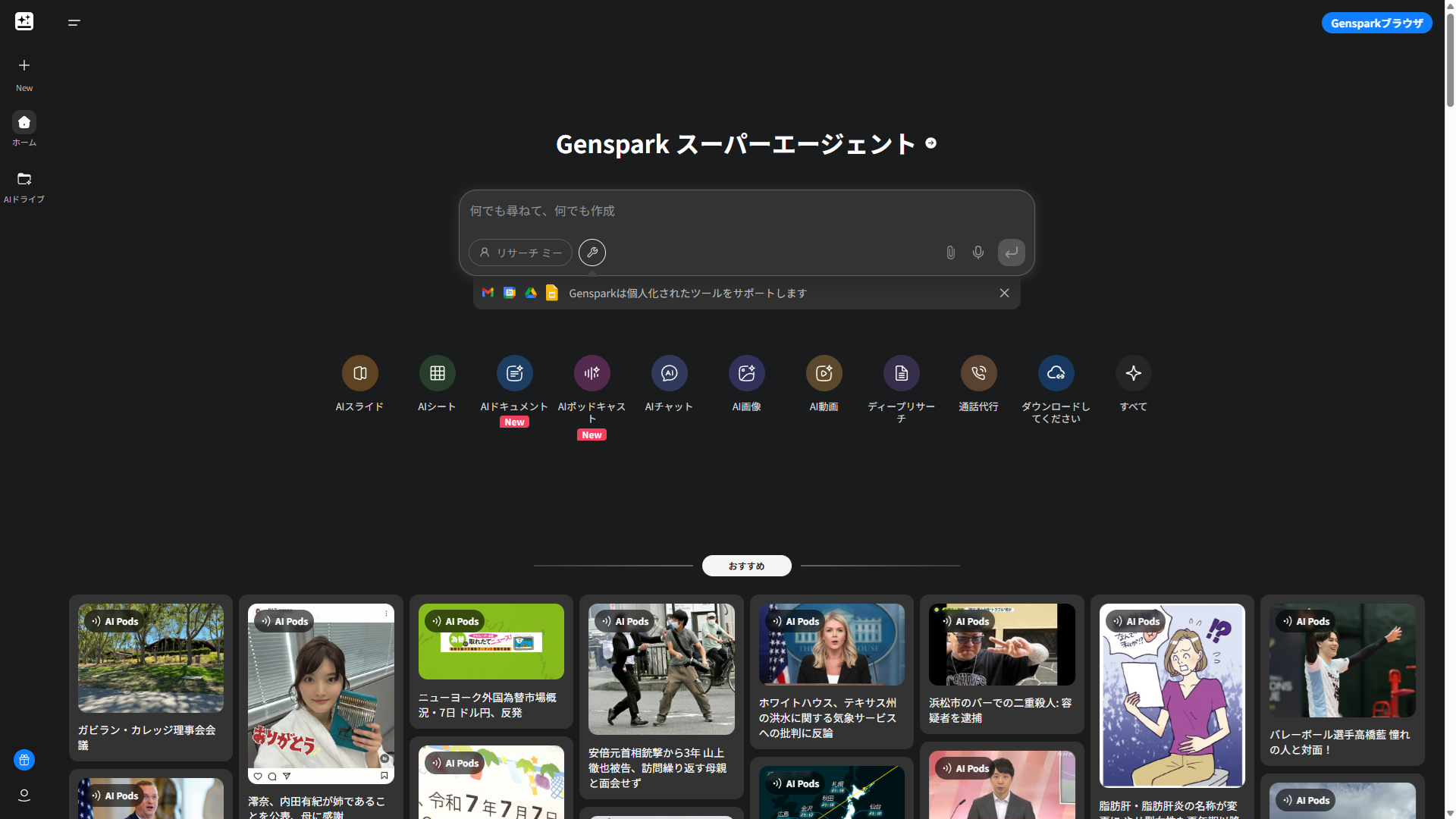
First, access the Genspark website ([Add Genspark URL here]). The initial screen is simple, intuitive, and easy to navigate.
(2) Selecting AI Slides and Inputting the Prompt
From the initial screen, select “AI Slides” and input the following prompt:
Summary of the project posted this time(in Japanese)
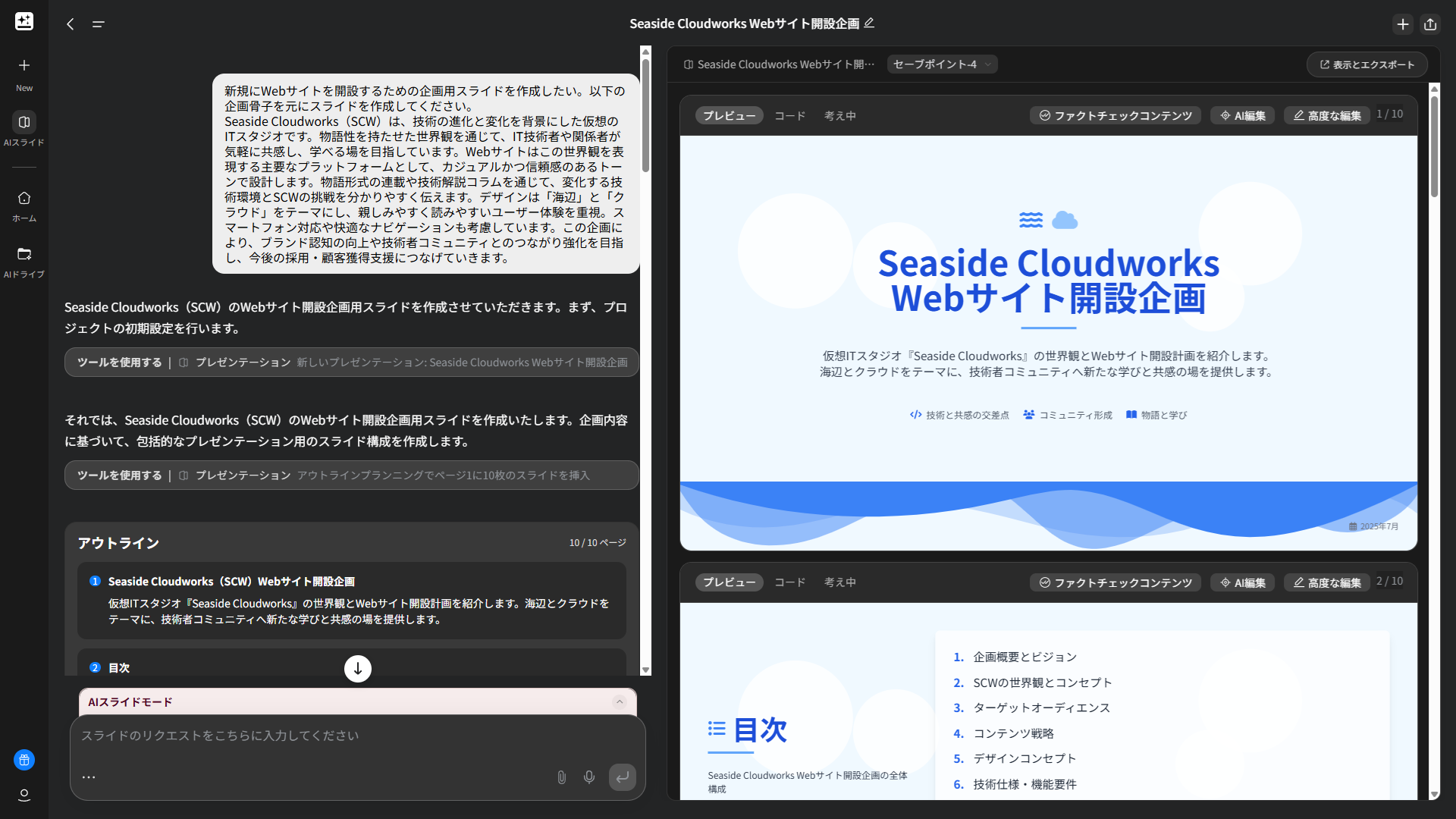
Seaside Cloudworks(SCW)は、技術の進化と変化を背景にした仮想のITスタジオです。物語性を持たせた世界観を通じて、IT技術者や関係者が気軽に共感し、学べる場を目指しています。Webサイトはこの世界観を表現する主要なプラットフォームとして、カジュアルかつ信頼感のあるトーンで設計します。物語形式の連載や技術解説コラムを通じて、変化する技術環境とSCWの挑戦を分かりやすく伝えます。デザインは「海辺」と「クラウド」をテーマにし、親しみやすく読みやすいユーザー体験を重視。スマートフォン対応や快適なナビゲーションも考慮しています。この企画により、ブランド認知の向上や技術者コミュニティとのつながり強化を目指し、今後の採用・顧客獲得支援につなげていきます。
Summary of the project posted this time(translated)
Seaside Cloudworks (SCW) is a virtual IT studio that reflects the evolution and changes in technology. Through a narrative-driven worldview, it aims to create a casual and engaging space where IT professionals and stakeholders can connect and learn. The website serves as the primary platform to express this worldview, designed with a casual yet trustworthy tone. Through serialized stories and technical explanation columns, it clearly communicates the evolving technological landscape and SCW’s challenges. The design is themed around “seaside” and “cloud,” prioritizing a user-friendly and easy-to-read experience. It also considers smartphone compatibility and comfortable navigation. This initiative aims to enhance brand awareness, strengthen connections with the technical community, and support future recruitment and customer acquisition efforts.
After entering the prompt, click the “Start” button to begin AI slide generation.
(3) Completion! Preview and Download Features
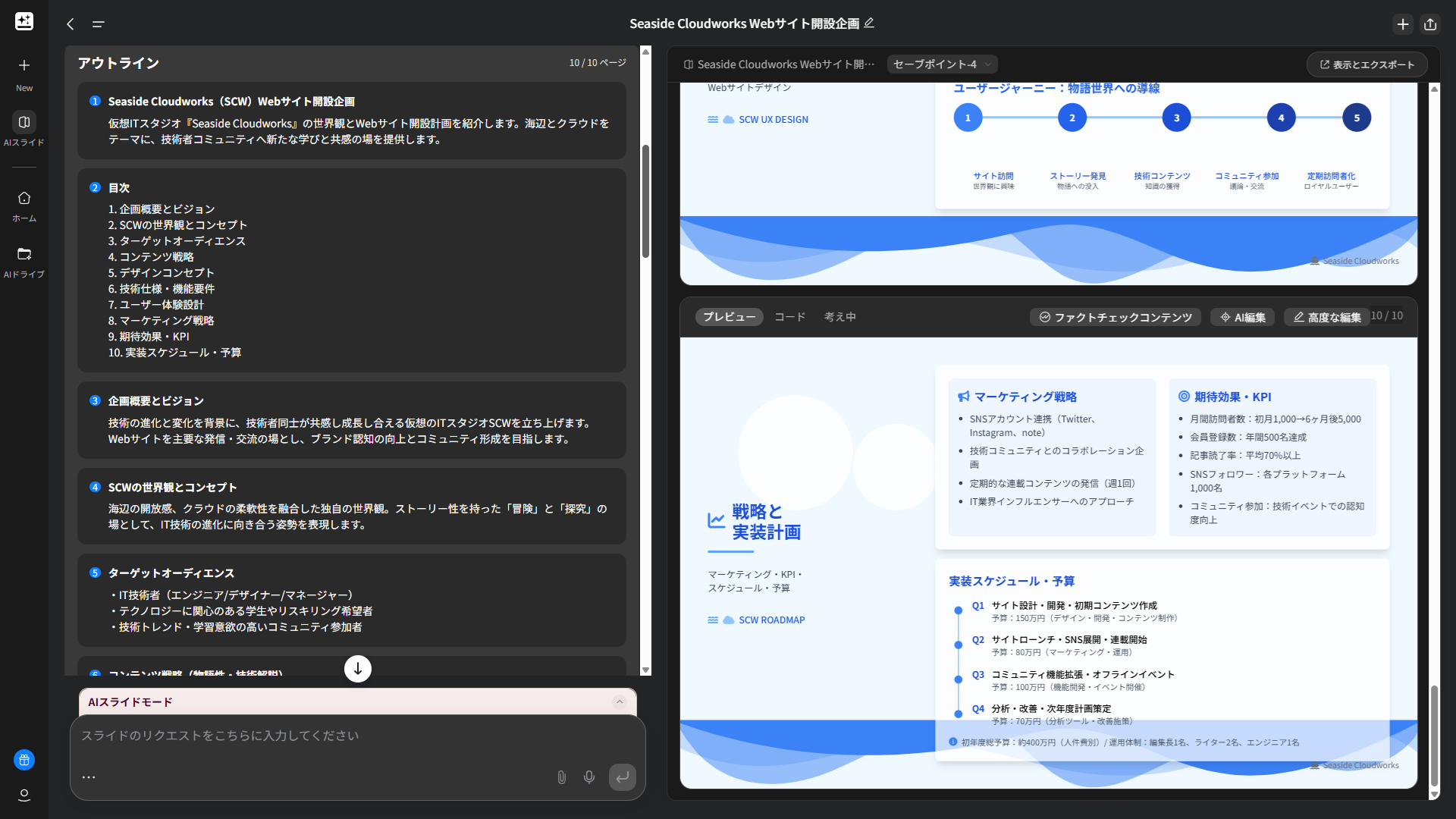
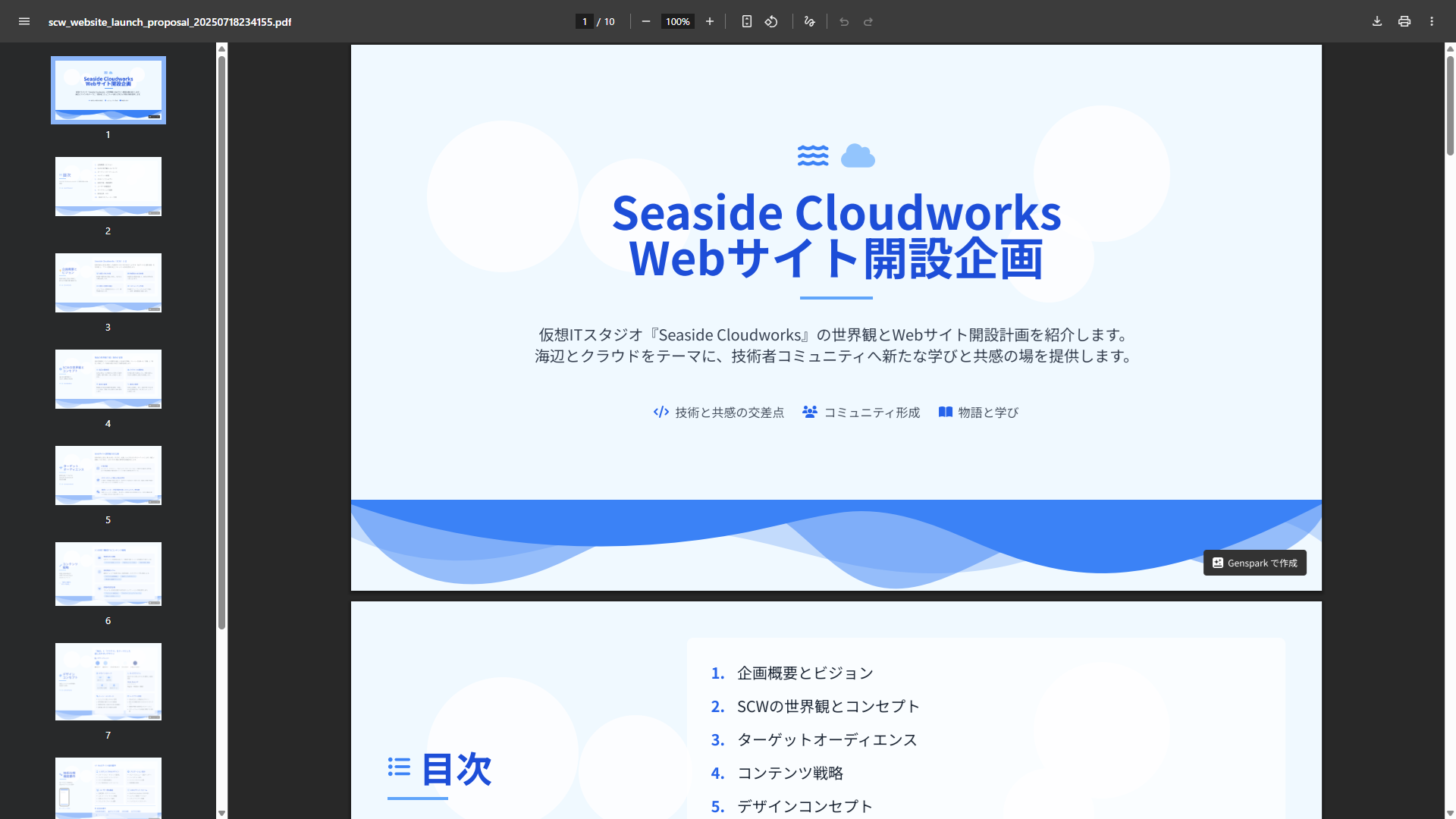
The slides were completed in just a few minutes. After completion, you can immediately preview the content. Although it’s a Beta version, PDF and PowerPoint download functions are also available. This allows you to share the created slides offline or edit them with other tools.
3.My Impressions and Comparison with Gamma
After actually using Genspark, I had a few observations.
Impressions of Genspark
Watching the slides being generated sequentially was exciting, and there was a sense of anticipation as the AI brought my ideas to life. In this example, content from the table of contents onwards was generated in parallel, which really made me feel Genspark’s power. The Japanese was also very natural, and I could read it without any discomfort.
The ability to complete slides in minutes by simply inputting a prompt is impressive. I felt it’s an extremely powerful tool for quickly giving shape to ideas in the early stages of a project.
Since the AI automatically selects the optimal layout and images, even those without design knowledge can create professional-looking slides. Another notable point is how accurately it interprets the input prompt and generates logically structured slides. For a website proposal like this one, all necessary elements were covered, and I felt it was perfectly sufficient as a basic framework. Any discrepancies with actual budgets or personnel configurations could be revised later.
Comparison with Gamma
I also tried Gamma with a similar theme. Gamma is also an excellent AI slide creation tool, but it has different strengths compared to Genspark.
Genspark outputs slides in a familiar PowerPoint-like size, and although it’s a Beta version, it can be downloaded in PDF and PowerPoint formats. On the other hand, Gamma’s size changes depending on the amount of content, making it suitable for viewing online like a landing page. If online presentation is key, Gamma might be more advantageous, but if you prioritize integration with existing presentation tools or offline use, Genspark has the edge.
For a “website proposal” where the purpose and content structure are relatively clear, Genspark’s ease of use and speed truly stood out. In Gamma’s case, users can freely edit and refine the generated slides, offering the advantage of being able to make more detailed customizations and refinements rather than just a “one-off” creation.
4.Conclusion
Genspark, by leveraging AI, has revolutionized slide creation, a process that used to be time-consuming and cumbersome. I particularly recommend it to:
- Those who want to quickly create slides in the initial stages of a project.
- Those who lack confidence in their design skills but want to create professional-looking materials.
- Those who frequently create presentation materials in their daily work.
Of course, AI-generated slides aren’t 100% perfect. However, by making additions and corrections, you can complete high-quality slides far more efficiently than starting from scratch.
Do give Genspark a try and experience its amazing capabilities. Your proposal creation process is sure to become smoother and more creative!
